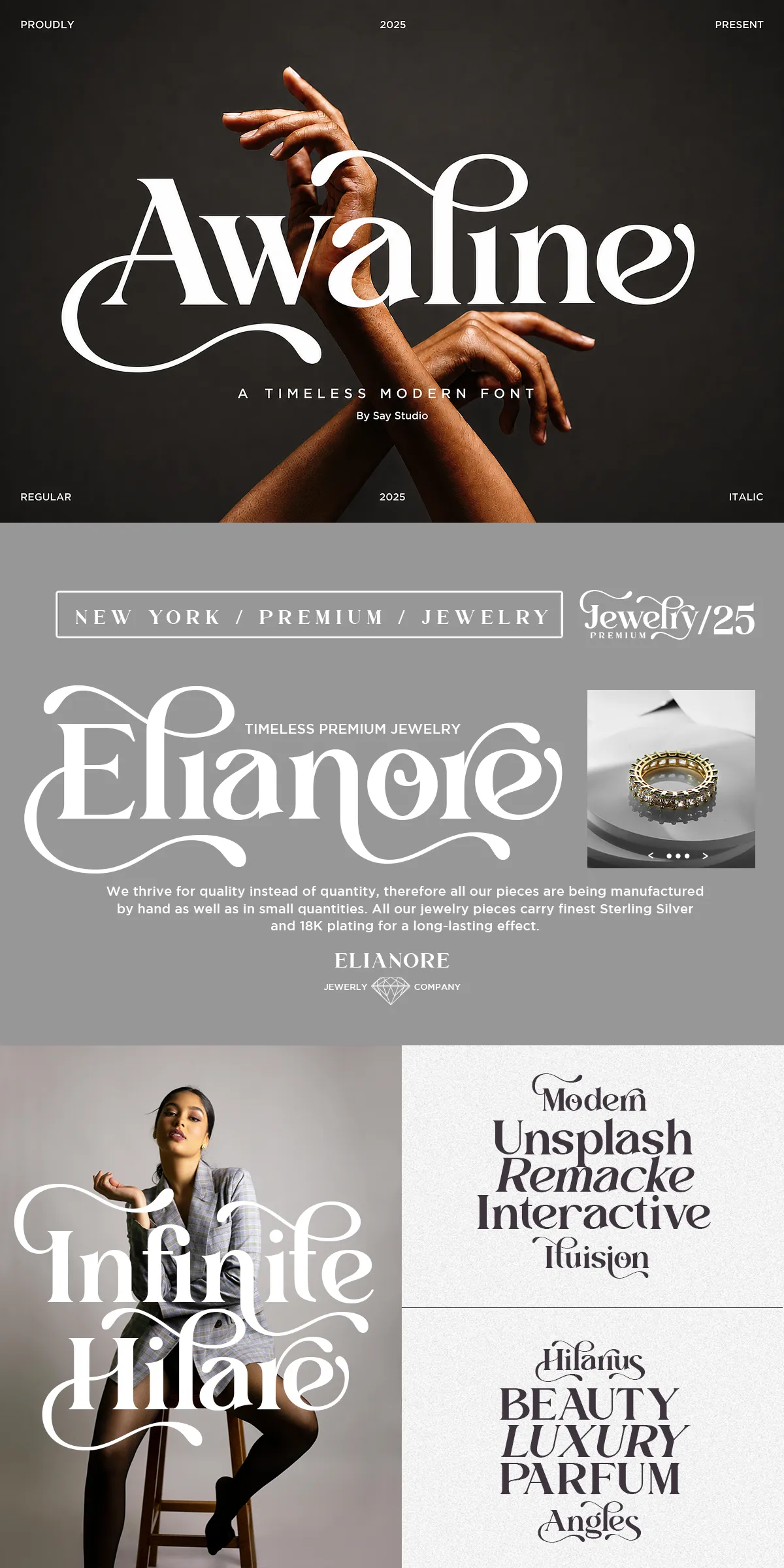
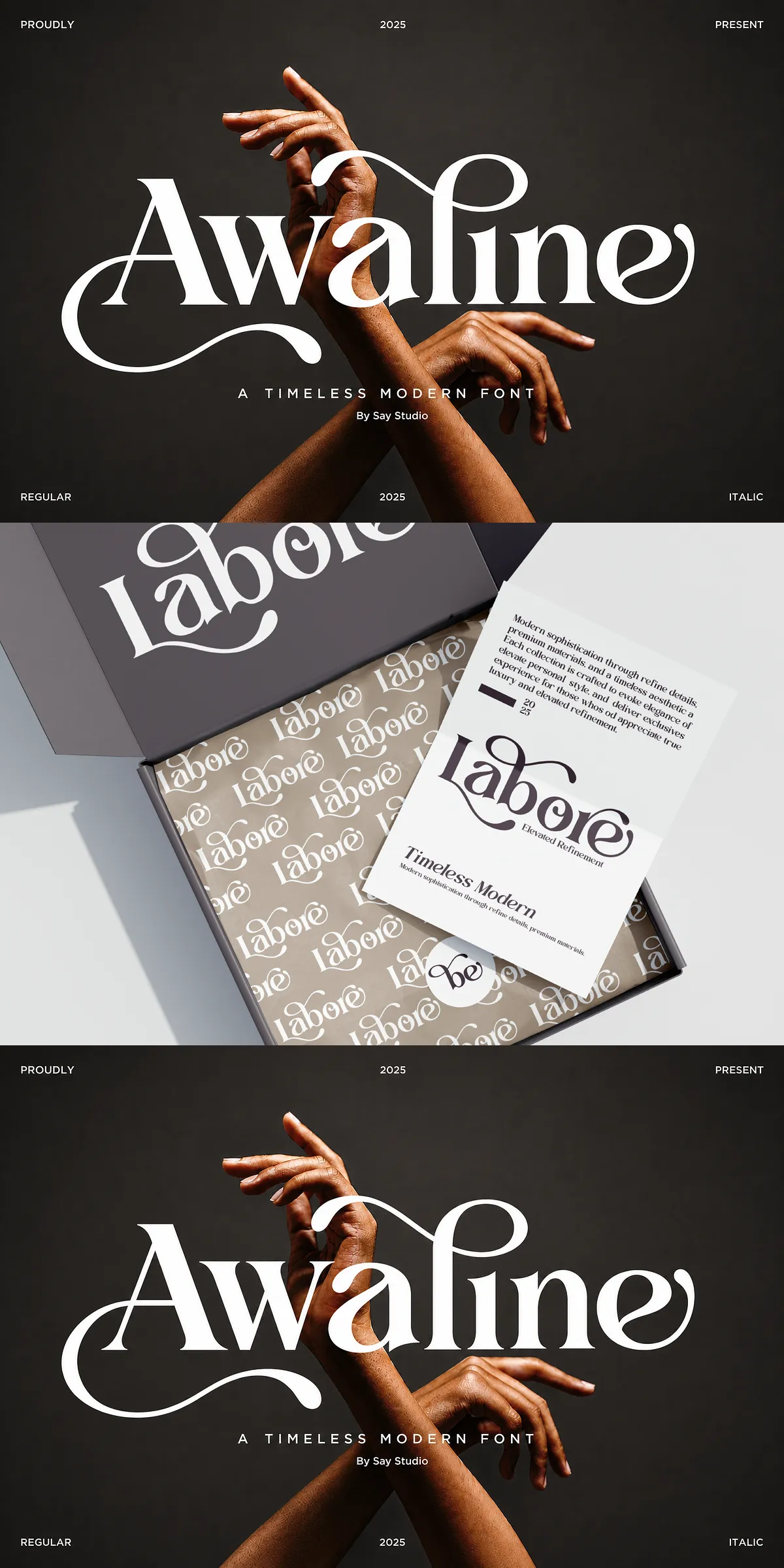
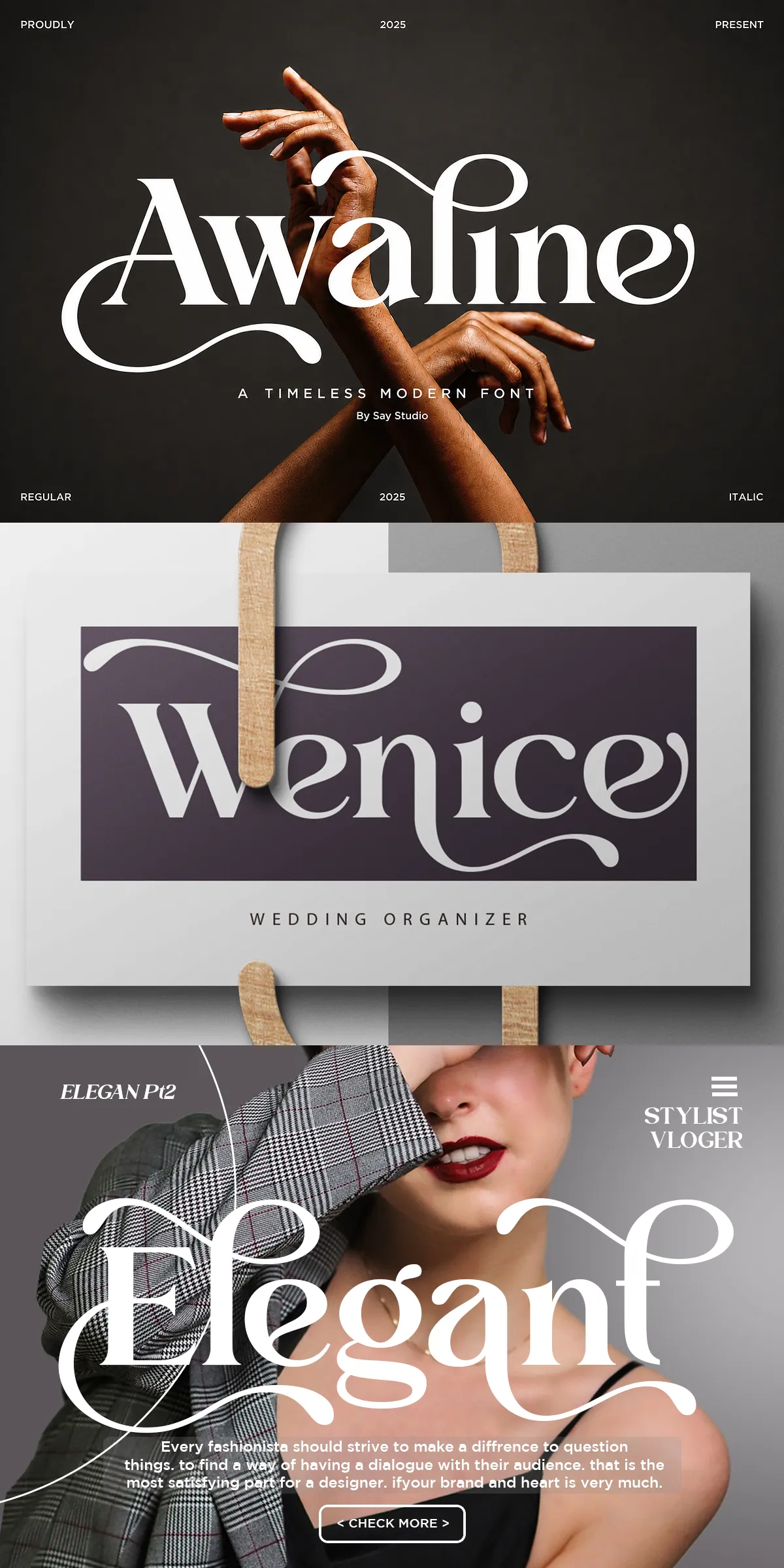
Awaline is a luxury modern serif that blends timeless elegance with contemporary sophistication. Crafted with refined contrast, carefully shaped terminals, and graceful swashes, Awaline gives designers a typographic voice that reads as confident, polished, and expressive. The family brings premium character to any project that requires an upscale visual identity, from fashion branding and jewelry packaging to editorial spreads and wedding invitations.
Why Awaline Elevates Premium Brand Identity Across Projects
Awaline elevates brand identity by offering visually striking letterforms that retain readability at multiple scales. Strong vertical stress and subtle contrast make headlines and logos feel authoritative, while the included italics and stylistic alternates introduce decorative finishes without sacrificing clarity. Use Awaline to project quality, sophistication, and distinction — qualities that build trust and recognition for luxury products and services.
Font Features And Technical Specifications That Matter
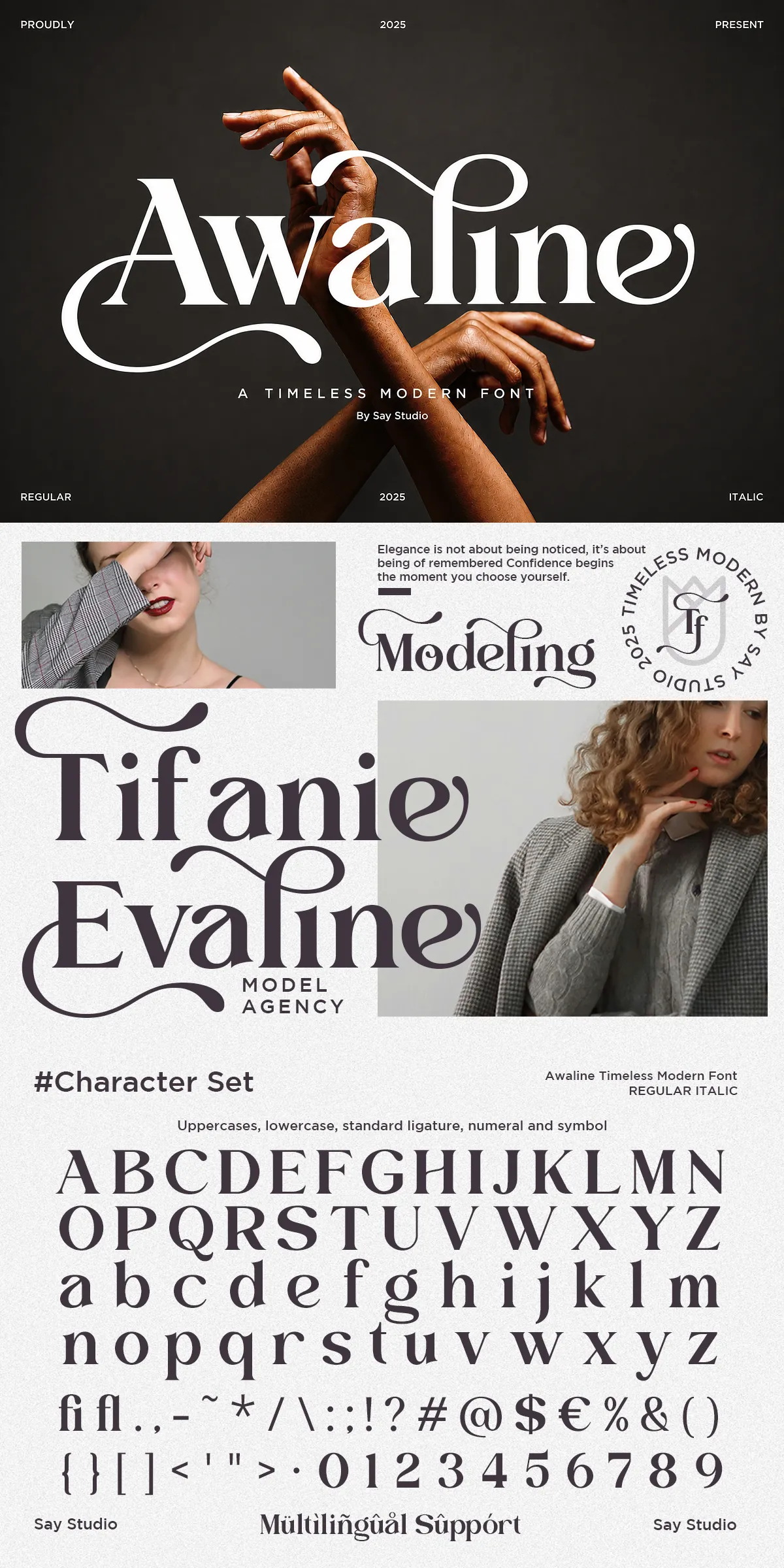
- Styles included: Regular and Italic styles for flexible pairing and expressive typographic rhythm.
- Alternates and swashes: Stylistic alternates and swash characters provide decorative options for bespoke logotypes and headline treatments.
- Character set: Full uppercase and lowercase alphabets with numerals, punctuation, and essential symbols.
- Language support: Multilanguage glyphs ensure Awaline works across Latin-based languages for international projects.
- File formats: OTF, TTF, and WOFF formats included for desktop and web deployment.
- Installation: Simple installation on Mac and PC; webfont formats ready for embedding in sites.
Recommended Uses And Design Applications For Awaline
Awaline performs strongly wherever elevated typographic tone is required. Apply the font to fashion and beauty branding, luxury product packaging, boutique identities, and premium marketing materials. It also shines in editorial design: cover headlines, feature spreads, and pull quotes gain instant polish. Wedding stationery benefits from Awaline’s refined swashes and the script-like flourish of alternates, while cosmetic and jewelry packaging uses the font’s contrast and proportion to suggest value and craftsmanship.
Design Workflow Tips To Maximize Awaline’s Impact
- Pairing: Pair Awaline with a clean sans-serif for body copy to balance ornament with legibility. Use tighter tracking for display headlines and looser tracking in longwordmarks for elegance.
- Hierarchy: Use heavier sizes and all-caps for strong titles; employ italics and swashes for accents, subheads, or product names.
- Texture and color: Combine Awaline with subtle textures, metallic foils, or subdued color palettes to reinforce a premium look.
- Responsive use: Test letterspacing and weight at small sizes for web and mobile to maintain readability while preserving the typeface’s character.
Practical Details Included With The Font Package
The Awaline package ships with everything designers need to implement a cohesive identity. Files included are Regular and Italic styles, stylistic alternates and swashes, full uppercase and lowercase sets, numerals, symbols, and punctuation, multilingual support, and the font formats OTF, TTF, and WOFF ready for web use. Clear installation instructions and usage guidance help integrate the font into desktop design tools and web projects quickly.
How To Get Started And Best Practices For Implementation
Begin by installing the desktop fonts (OTF/TTF) to explore logotype and editorial options locally. For web projects, include the WOFF file and declare font-family fallbacks to preserve layout integrity. Experiment with the stylistic alternates in headline contexts and reserve swashes for accents to avoid overpowering long text blocks. Always proof type at final output size, and export test prints when designing packaging to confirm weight and contrast on the chosen substrate.